Your ledger stays yours.
Mirato is a Beancount app: plain-text ledger, fully offline, on-device suggestions, and voice entry in one sentence.
Sign in to Google and select “Join group” on the group page, then return here to become a tester. Use the same Google account for the group, the test and the Play Store. Android is available only through Google Play; iOS is coming soon.
Features
Built for people who take their books seriously — it suggests, you decide.
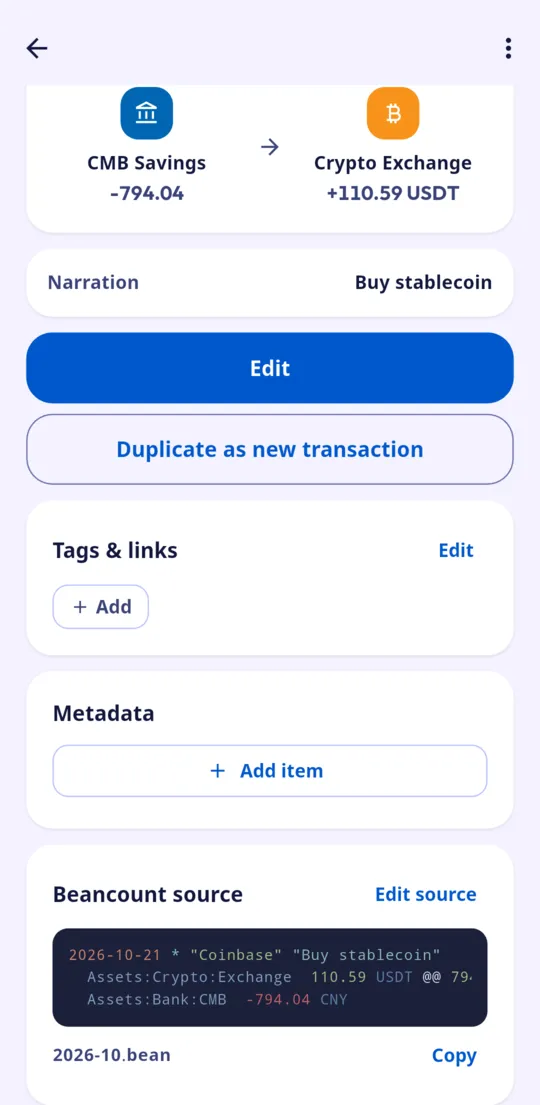
Beancount text ledger
Your ledger is plain text you own and keep, synced with the tools you already use.
Fully offline
The release build has no network permission. Ledger, index and suggestions all run on your phone.
On-device suggestions
A bundled local model helps pick accounts, categories and search. Transactions never leave the device.
Voice entry
Say it and it is recorded. Optional — everything works without the microphone.
Structured editing
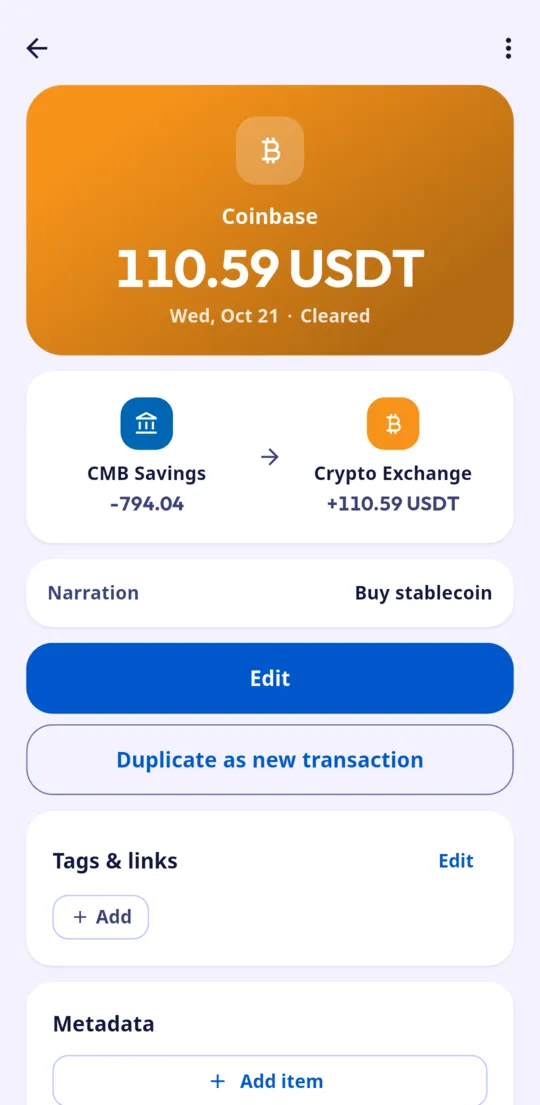
Edit transactions in a friendly UI that writes back to your file and rolls back if validation fails.
Import templates
Share a statement template with Mirato and it becomes Beancount transactions by your rules.
Sync your ledger
Mirato writes to your Beancount files. You choose how those files are synchronized.
Learn about syncing →Screenshots
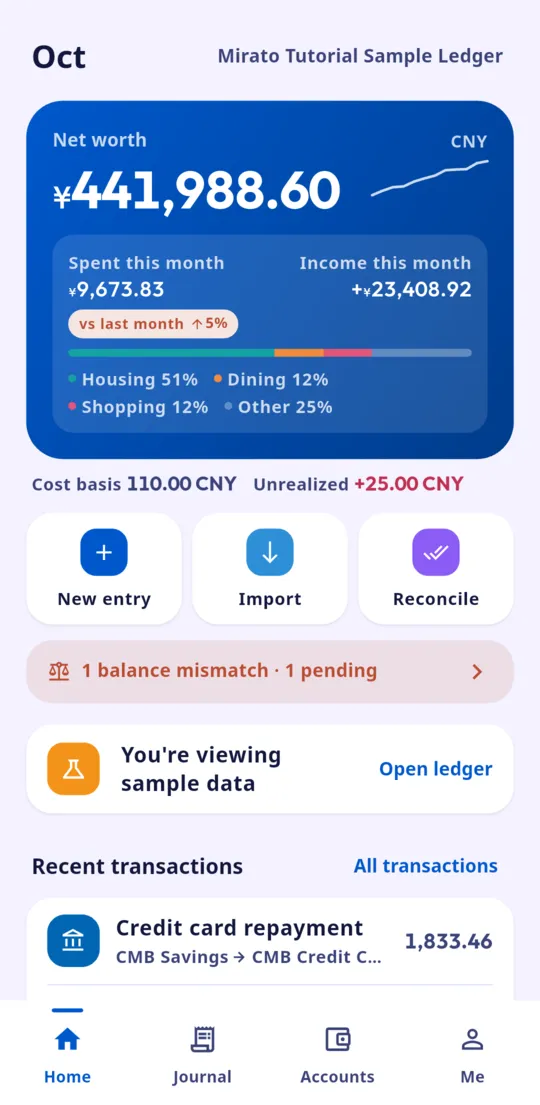
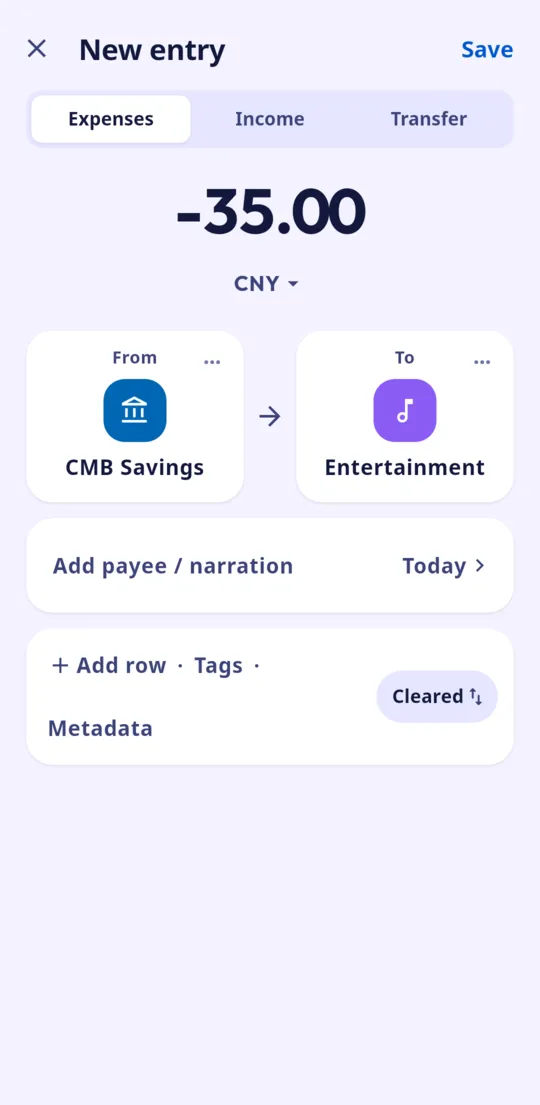
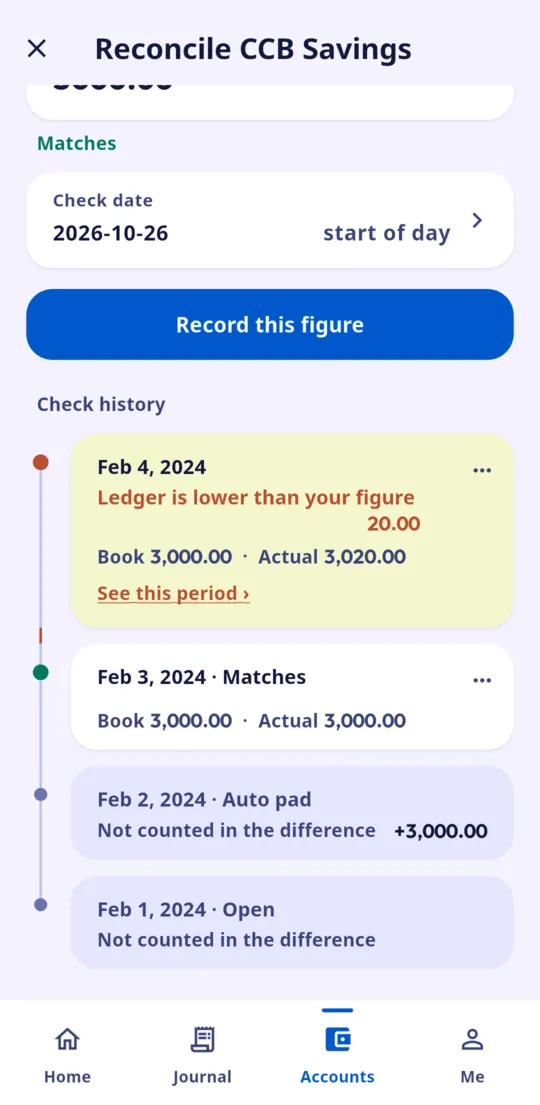
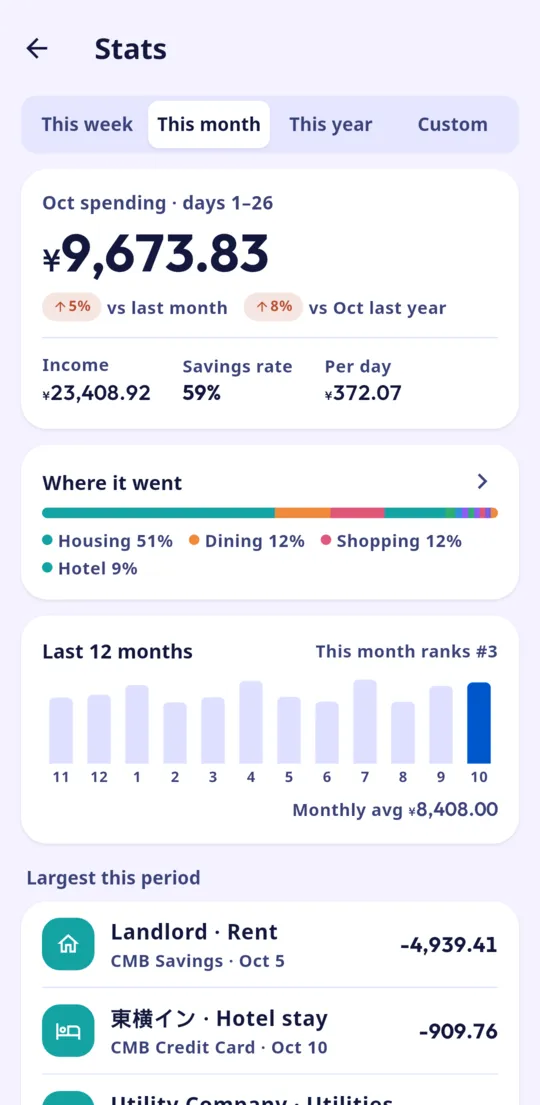
Sample ledger on a real phone — the interface and ledger content follow your language.
How it works
Pick your ledger
Grant access to your Beancount folder with the system picker — local, cloud drive or sync folder.
Record
Type or say a sentence. Mirato suggests accounts; you confirm and it writes to the file.
Reconcile anytime
Balances, charts and health checks read your original text; Fava and bean-check keep working.
Private by default
Mirato has no accounts, no ads and no analytics, and never sends your data to us or any third party. Full privacy policy →
FAQ
Does it need the internet?
No. The release build requests no network permission; everything happens on the device.
Is it compatible with Fava and bean-check?
Yes. Mirato reads and writes standard Beancount text, so the official tools keep working.
How do I back up?
Your ledger is the file you chose — back it up or sync it however you like. The app does not upload it automatically; an explicit feedback submission is separate.